Sponsors

Monday, May 6, 2013

Battery Monitor Widget Pro v2.7.4 APK

Battery Monitor Widget Pro v2.7.4 APK


Complete battery monitoring with notification icon, history, graphics and alarms!

Battery Monitor Widget Pro play.google.com.bmw.pro
Complete battery monitoring with notification icon, history, graphics and alarms
Tested on Galaxy Nexus, Galaxy Note, HTC One X, Iconia A500, Transformer all under ICS: Consumes < 3 seconds of CPU per day using default (recommended) settings.

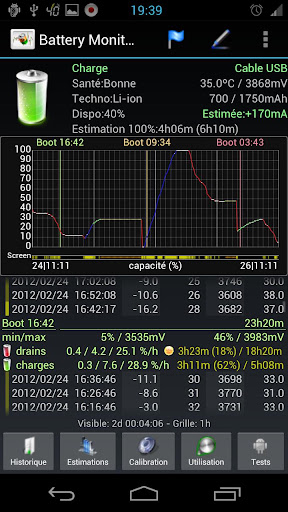
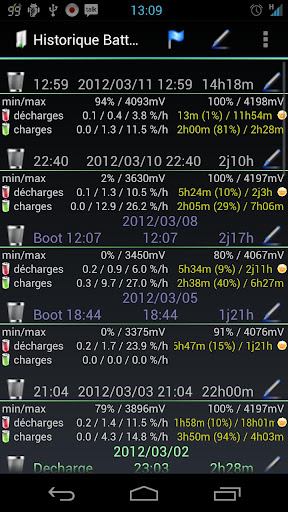
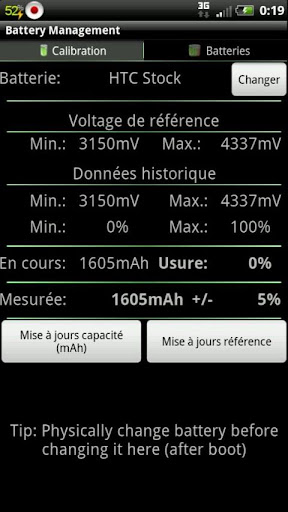
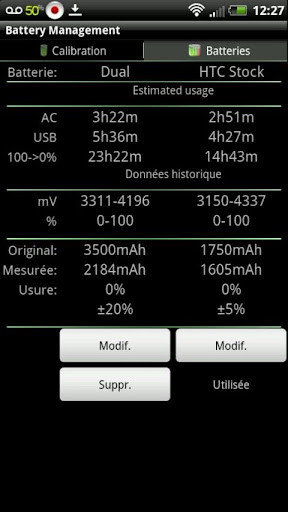
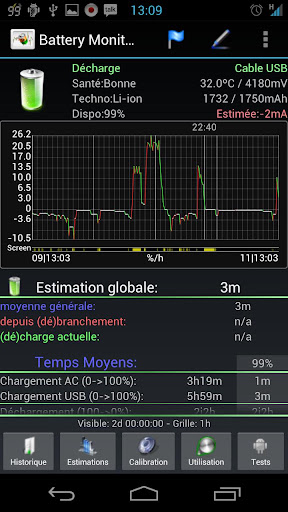
The most complete tool to manage your battery: Shows historical data (%, mA, mW, mV and temperature), calculates estimated run-times and battery aging, helps calibrate battery and improve your battery run-time.

NB:
  • NOT all phones report accurate mA - Check app web-site for more information
  • The app displays the % remaining, voltage and temperature data reported by Android OS
  • HTC One X reports incorrect mA during standby, use mA corrections for better results
  • Android battery stats have nothing to do with % calculations
Measures real battery capacity using historical data!

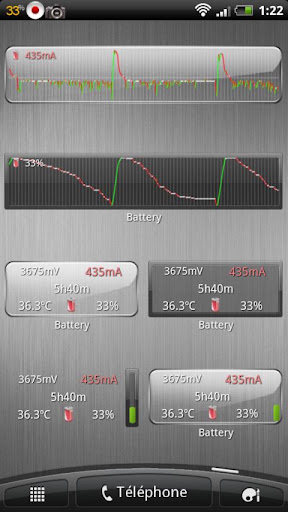
Display all information using great looking graphics, fully scrollable and zoomable.

Use additional packages to show great looking icons in notification bar

Display historical graphics or battery data on your home screen using widgets of various sizes!

Triggers alarm based on battery data (voltage and temperature limits)

Manually resets battery calibration/statistics on rooted phone

Support Motorola Defy/Atrix 1% reporting

Online help accessible from settings

Export data to System Tuner Pro to analyze which process is responsible for battery drain!

Lowest battery consumption on the market! Disable history/graphics for even lower consumption! Check web-site for app consumption and supported phones.
What's in this version : (Updated : May 6, 2013)
  • Add mA support for Optimus G (f240k) and HTC One V
Required Android O/S : 1.6+
Screenshots :


Download : 1.3Mb APK

Shiny The Firefly v1.0.8 APK

Shiny The Firefly v1.0.8 APK


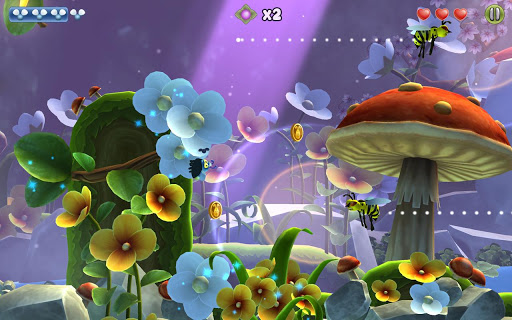
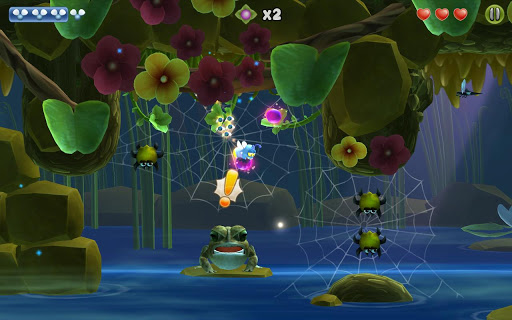
This adorable game, set in the middle of a picturesque garden, has you helping Shiny, the cute little firefly, to find his babies!


Shiny The Fireflyplay.google.com.shiny
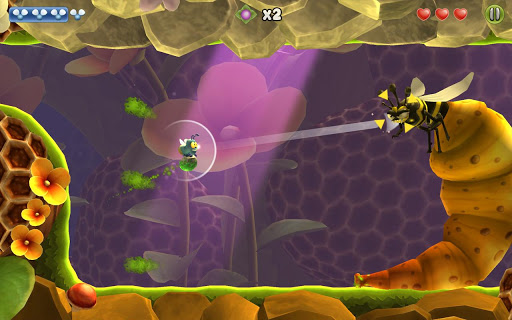
You’ll have to fly, run, hide and defend yourself against a legion of enemies. Stubborn mosquitoes, hungry toads, mischievous plants, sneaky wasps, endlessly long centipedes and lots of other little, dangerous garden dwellers are going to get in your way and make your life difficult.

Your reflexes will be tested, as well as your wit and intellect as you navigate through this beautiful, colorful world helping Shiny in his search. All kinds of different animations let you know how Shiny’s feeling. So you’ll always know if he’s feeling happy, concerned, tired or angry. That will help you solve the trickiest situations in the game. Use your ability to shine skillfully: the babies can only follow Shiny when he is lit up, but that also makes him visible to his enemies…

Can you reunite Shiny with his family?

Features:
  • Great, high-quality graphics 
  • A charismatic character with numerous animations 
  • Three different worlds with a total of 33 levels, teeming with enemies, bosses, puzzles and other game elements 
  • Unique “Light on, light off” feature 
  • An all-round fully developed and intuitive game experience for everybody
What's in this version: (Updated : May 6, 2013)
  • Dutch language problem fixed
  • Workaround for some devices: Some devices can't skip the intro because the "Next" button disappears. Now you can tap the screen
  • Minor tweaks on some level
Required Android O/S : 2.3.3+
Screenshots :


Download : 140Mb (APK+OBB)

Accupedo-Pro Pedometer v3.1.1 APK

Accupedo-Pro Pedometer v3.1.1 APK


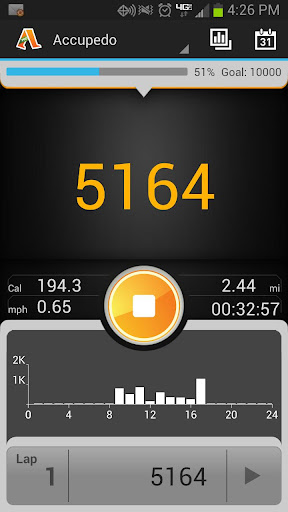
Accupedo-Pro is an accurate Pedometer Widget that monitors your daily walking on the Home screen!


Accupedo-Pro Pedometerplay.google.com.accupedo.widget
ATTENTIONTest with a free Accupedo to see if your phone works well with Accupedo-Pro before purchasing it. Some phones do not support the G-sensor in SLEEP (STANDBY, when screen is OFF) mode by those phone manufacturers. This is not a defect of this app.

An intelligent 3D motion recognition algorithm is embedded to track only walking patterns by filtering and ejecting out non walking activities. Accupedo counts your steps regardless of where you put your phone like your pocket, waist belt, or bag. Be healthy by setting up your daily goal and accurately monitoring your steps with Accupedo.

Features:
  • The intelligent algorithm starts tracking after 4-12 CONSECUTIVE steps, then stops and restarts automatically as you walk.
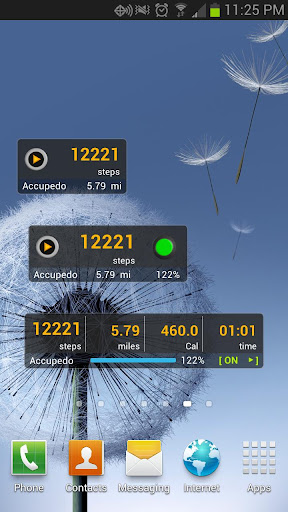
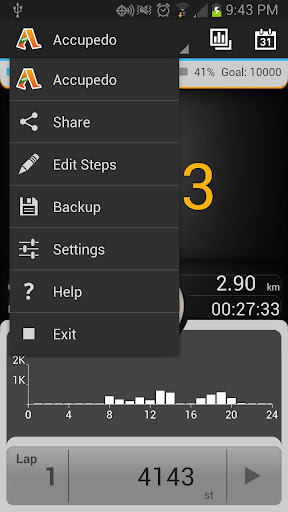
  • Customizable widget display modes: steps, distance, minutes, calories, and Trip A.
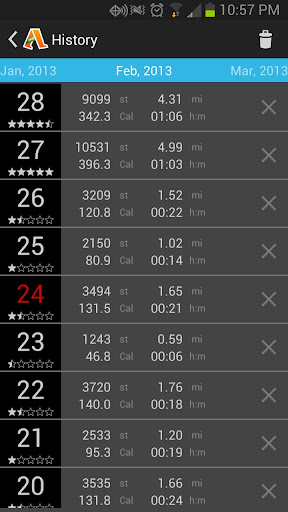
  • Daily log history: step counts, distance, calories, and walking time.
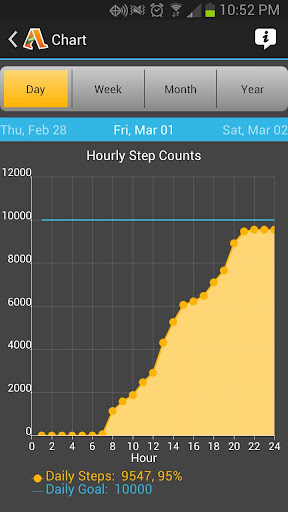
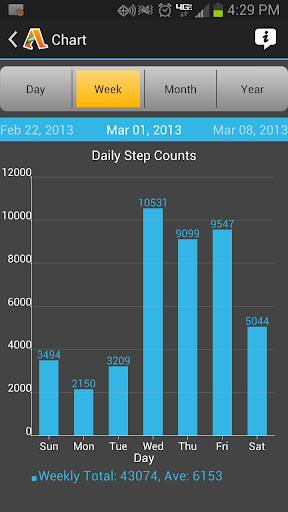
  • Charts: Daily, weekly, monthly, and yearly step counts.
  • Customized power usage mode options for efficient power saving.
  • Customized personal settings: sensitivity, metric/english, step distance, body weight, daily goal, etc.
  • Concise widget display on Home screen.
  • A “odometer” function for steps (Trip A)
  • Resume/Pause/Reset
  • Widget skin colors: black, blue, green, orange, pink
  • Screen on/off option
  • Email a daily log file
  • Database import and export
  • Manual step count addition and subtraction
  • Language option: default and English
Installation:
  • After downloading, press and hold your finger on the EMPTY space of the Home screen. (If your Home screen is FULL of Apps, remove at least two adjacent App because Accupedo-Pro needs two App space to install it.) “Add to Home screen” menu will appear with options listing.
  • Select Widgets from the menu, and then select the widget named “Accupedo-Pro”.
  • Try moving it around by pressing and holding your finger on the widget.
  • WATCH YOUTUBE FOR INSTALLATION VIDEO (Type in Accupedo) for more information.
Notes:
  • It works only for an Android phone with G-sensor (accelerometer).
  • It performs best when the phone is on your waist belt.
  • Step count may not be accurate if you put your phone in loose fit pants due to the random movement your phone makes in the pocket.
  • The sensitivity of a phone can be different from others. So, choose a sensitivity level that works best for your phone.
  • Help and FAQ are built in the App.
What's in this version : (Updated : Apr 26, 2013)
  • Optimized program.
  • Exit menu is added.
  • Widget cannot be opened at SD-Card. Save Accupedo to phone memory.
Required Android O/S : 2.1+
Screenshots :


Download : 2.5Mb APK

External Keyboard Helper Pro v6.1 APK

External Keyboard Helper Pro v6.1 APK


Take full control over your external Bluetooth or USB keyboard.


External Keyboard Helper Pro play.google.com.hwkeyboardhelper
A non visible soft keyboard (Input Method) intended to be used with hardware Bluetooth and USB keyboards. It automatically brings up the Input Method dialog when Bluetooth keyboard connects or disconnects (on some devices this can also be made to work with USB keyboards).
It supports a lot of different keylayouts for non-US external keyboards and also provides a lot of configuration options.

This app does NOT require a rooted device and there is a DEMO version available if you want to try it out before buying.

Features:
  • International keyboard layouts.
  • Up to 16 application shortcuts can be added (for example start Google Maps with Alt+M etc.)
  • Up to 16 text strings can be add (for example insert your email address with Alt+E etc.)
  • Remaps the Escape key to BACK (can be turned off)
  • Allows you to control which characters should be treated as combining characters.
  • A "null" Soft Keyboard to use with hardware keyboards (Bluetooth & USB).
  • Automatically brings up Input Method selection dialog when Bluetooth keyboard connects or disconnects (Android 2.3+).
  • Automatic detection can also work with USB keyboards on some platforms (experimental) (Android 2.3+)
  • App that brings up Input Method selection (for easy access)
  • Switch between up to three layouts of your choice using a key or key combination.
  • Can choose keymap automatically based on language setting in your device.
  • Blocks long-press-popups on Android 2.x.
  • Change the key repeat delay and rate.
  • Layouts can be modified and two user defined custom layouts can be configured.
Currently supported keyboard layouts:
  • Arabic (101, 102 & 102 AZERTY)
  • Austrian
  • Belgian
  • Bosnian & Herzegovian
  • Czech
  • Croatian
  • Danish
  • English (Colemak, Dvorak, Dvorak Left hand, Dvorak Right hand, Dvorak Programmer, GB & US-nternational)
  • Estonian
  • Faroese
  • Finnish
  • French (Bépo, Canada, France & Switzerland)
  • German (Germany & Switzerland)
  • Greek
  • Hebrew
  • Hungarian
  • Icelandic
  • Italian
  • Latvian
  • Lithuanian (Numeric)
  • Norwegian
  • Persian
  • Polish
  • Portuguese (Brazil, Portugal & Br-Nativo)
  • Romanian
  • Russian
  • Serbian
  • Slovak (qwerty & qwertz)
  • Slovene
  • Spanish (Latin America, Spain/Int & Dvorak)
  • Swedish
  • Turkish (F & Q)
  • Vietnamese
All layouts are based on standard USB Keyboard layouts. Bluetooth keyboards sometimes do not follow the standard completely but it is possible to manually customize mappings.

Characters that can be treated as combining characters
  • acute
  • breve
  • caron
  • cedilla
  • circumflex
  • diaeresis/umlaut/dialytika
  • dialytika tonos
  • dot above / dot below
  • double acute
  • grave
  • hook above
  • ogonek
  • ring
  • tilde
  • tonos
What it does NOT
  • It won't fix your Bluetooth or USB connected keyboard if it wasn't working in the first place.
  • It does not automatically switch Input Method. It only shows the dialog and you will have to choose Input Method manually. This is an intentional limitation built into Android by Google. No app is allowed to change Input Method without user interaction (unless the app is a system app).
What's in this version : (Updated : May 6, 2013)
  • Fixed reverse question mark in Persian (Farsi) layout
  • Fixed some problems with mapping CTRL to ALT-key
  • Added keycode for ASCII NUL (sends Unicode 0x0000) (Useful for Emacs)
  • Made Ctrl+Space send ASCII NUL if Emacs is detected (Only seems to work if Ctrl is remapped because Android blocks space when real Ctrl is pressed, at least on my Nexus devices with Android 4.2.2)
  • Added Armenian layouts (Eastern, Western and Phonetic)
Required Android O/S : 1.6+
Screenshots :


Download : 267Kb APK

Arranger v1.023 APK

Arranger v1.023 APK


Drop your sword and pick up your saxophone!


Arrangerplay.google.com.arranger
Enter the realm of "Musica" and set out on a retro quest to become the greatest musical arranger in the land!
  • Features:9 realms with 9 musical boss battles ranging from power ballad to funk 
  • 16 instruments to collect including guitar, synth, trombone, and vocals 
  • More than 25 unique minigames and puzzles such as Turpato Peeler, Endless Jogging, Burger Blaster and Spice Invaders. 
  • Keep track of your progress with the Quest Log 
  • Never lose an item with help of your faithful pet Dorg.
What's in this version : (Updated : May 4, 2013)
  • FIXED - The game quits if a user hits the Android "Back" button.
  • REMOVED - Write to External memory permission
  • ADDED BACK IN - Write to External memory permission (some users reported problems)
Required Android O/S : 2.2+
Screenshots :


Download : 43Mb APK
Tegra Overclock v1.5.1 APK

Tegra Overclock v1.5.1 APK


A single app to control your Tegra 3!


Tegra Overclockplay.google.com.tegraoverclock
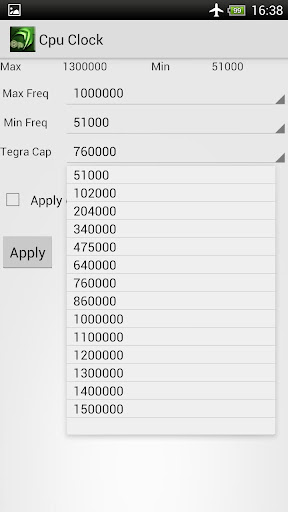
This tool will enable you to save power or switch to performance on fly. It covers safety features of master boot to enable/ disable your boot settings. Designed in a way that is look different than most market overclocking tools and provide easy to use interface. It can be very effective for those who are frustrated of heat problems or battery drain issues. For gamers it pack an FPS lock that help to get consistent Frame rate while saving battery when Gaming !!

ROOT Needed!
Features:
  • Works like a charm even on any Tegra 3 stock Kernel and from v1.5.1 on any Firmware!
  • Allows you to lock FPS(Frames per Second) which inturn saves battery for gamers and non gamers alike(minimum 40 recommended)
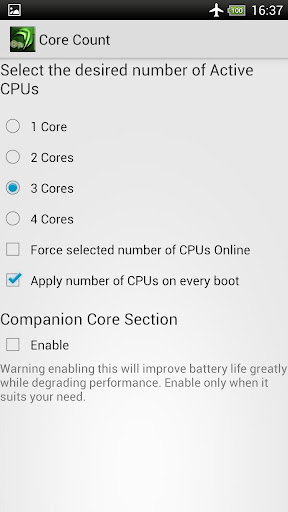
  • Select number of cores!
  • The show stealer Low Power Core Control!!!
  • SetCpu clock control
  • Gpu Overclock (From v 1.4 supports GPU/ CPU unlinking and freedom with GPU overclock !! )
  • Added 50, 100, 150 Mhz frequencies to GPU for power saving purpose. Default lowest was 200Mhz!!
  • Ram Underclock (use it to save battery. It makes things laggy but not noticeable in gaming, Gamers rejoice! New 380Mhz recommended) 
  • Undervolting
  • SD cache
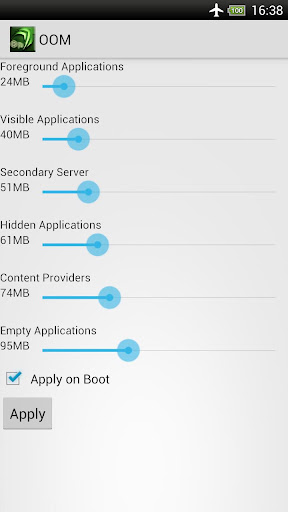
  • Out Of Memory Management ( OOM )
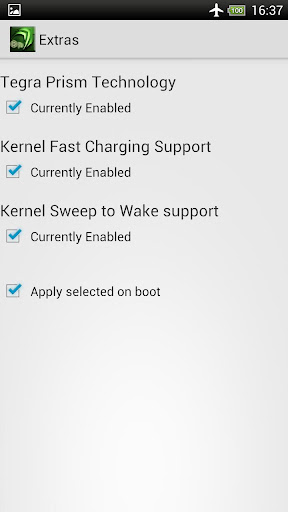
  • Nvidia Prism Toggle Control 
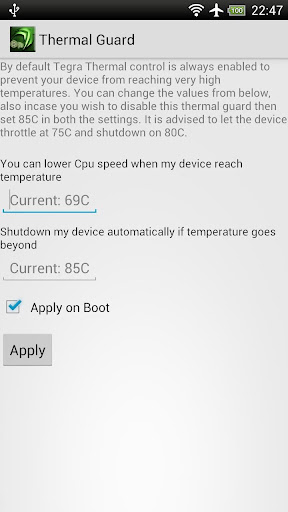
  • egra Thermal Guard ( Can now control throttling on Tegra 3 phones and tablets )
  • Some Misc Tweaks + more upcoming.....
Guaranteed to work better than even most famed system tuner , No-frills CPU Control apps as these are generic applications while Tegra Overclock contains more settings and control even over Trickster mod. All in a nutshell if you have a TEGRA 3 Processor then you have come to right place.

IMPORTANT NOTE:
From v 1.2 Tegra Overclock will work on all Tegra 3 devices regardless of Kernel used. Still keep in mind that some of the features and Gpu Overclocking(above 416 Mhz) are kernel specific.
What's in this version : (Updated : May 2, 2013)
MUST CLEAR DATA OR FIRST UNINSTALL AND THEN RE INSTALL THE UPDATE
  • An attempt to make the device Firmware independent in regards to performance.
  • Bug fix for invalid int in gpu section.
  • core section recoded for easy cores forcing.
  • Masterboot will get enabled by default now after first run to avoid any issue.
  • ore Clock section revised for quick changes.
  • Multithreaded
Required Android O/S : 3.0+
Screenshots :


Download : 360Kb APK

Related Articles

Related Posts Plugin for WordPress, Blogger...