Sponsors

Monday, February 18, 2013

GLASS APEX/NOVA/GO THEME v3.9 APK

GLASS APEX/NOVA/GO THEME v3.9 APK


Glass Apex - Nova - Go Launcher Theme!


GLASS APEX/NOVA/GO THEME play.google.com.droidglass

Installation Apex Launcher :
  • Install Apex Launcher (Free or Pro)
  • Install theme
  • Open Apex Settings
  • Open Theme Settings
  • Select and Apply Glass Theme
Installation GO Launcher :
  • Please Do Not open directly after it's installed.
  • Back to GO Launcher EX: MENU > theme preferences.
  • Select and Apply Glass Theme
What's in this version : (Updated : Feb 16, 2013)
  • ADDED 210 NEW ICONS
  • ADDED 5 COLOURS APP DRAWER ICONS (REPLACE FROM THE ICONS LIST)
  • SORTED THE ICONS ALPHABETICALLY IN THE ICONS LIST
  • FIXED ALOT OF ICONS WAS NOT APPLYING
  • REPLACED ALOT OF ICONS WITH BETTER LOOKING ICONS
  • MORE ICONS WILL BE ADDED IN FUTURE UPDATES
Required Android O/S : 2.0+
Screenshots :


Download : 24Mb APK

Future Ops Online Premium v1.0.87 APK

Future Ops Online Premium v1.0.87 APK


A Multiplayer First Person Shooter. 44 Player COOP, TDM and CTP with Vehicles!


Future Ops Online Premiumplay.google.com.FutureOpsOnlinePremium
Premium Supporters now have a few days of sneak peek access to brand new Work In Progress features as a thank you for your help.

COOP Survival MMO Mode is now available to everyone, however its under heavy reconstruction right now, many features had to be disabled in order to optimize them for mobile devices, including picking up weapons, buildings must be simplified.

Premium Supporters will soon receive early access to PVP MMO Mode which is identical to COOP, except you can kill other players to have them drop their gun, and give you xp and virtual currency. This will be built during January.

A Multiplayer First Person Shooter with up to 44 Players in COOP Survival MMO, Team Deathmatch and Capture The Point game modes.

Air Vehicles allow you to play Mobile FPS games like never before, this game aims to be your mobile battlefield, for Free!

Please always update your game, if there are server side changes, then a new server version is created that is only accessible by the newest version of the game, which is why it looks like there are no servers online.
What's in this version : (Updated : Feb 16, 2013)
  • Added Clan Tag above players
  • Added Orange Clan indicators on top of players
  • Fixed your Clan Name & Tag Display in Deploy List
Required Android O/S : 2.2+
Screenshots :


Download : 30Mb APK

CameraPro (CameraX) 2.0 v2.42 APK

CameraPro (CameraX) 2.0 v2.42 APK


Professional Photography App for Android!


CameraPro (CameraX) 2.0 play.google.com.camerax
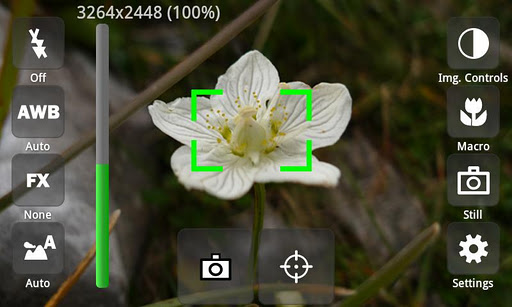
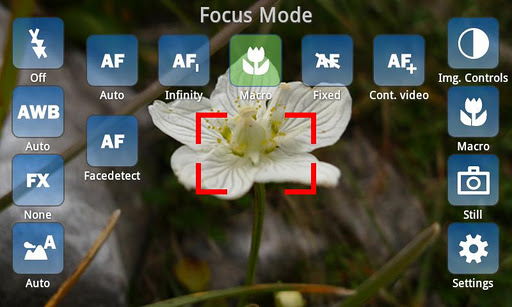
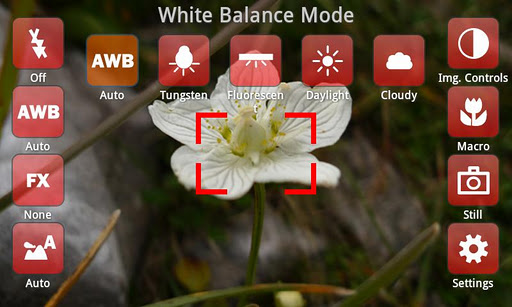
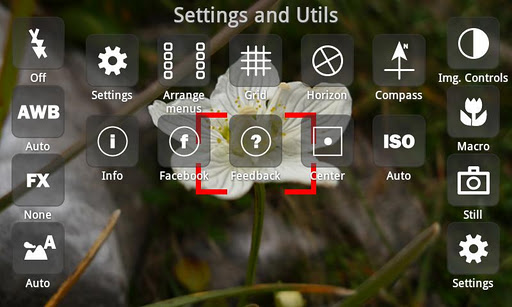
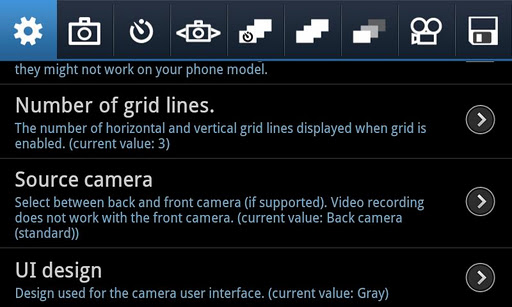
CameraPro (previously known as "CameraX") offers fast access to your mobile's camera capturing and video recording features. It is highly customizable including different designs and menu arrangements. Pictures can be directly uploaded from CameraPro to Facebook, Flickr, Picasa, and Twitter.

The following list gives an overview over the features. PLEASE NOTE that features marked with "*" vary between different phone models!

Camera Modes:
  • Still (normal mode)
  • !!!BETA!!!: Video / expert video mode (HD video greater than 720x480p is in Beta and works only on some phone models)
  • Self-timer
  • Time-lapse: record time-lapse picture series (Android 3.0+: record time-lapse videos too)
  • Burst: shoot a set of pictures as fast as the phone supports
  • Bracketing: take up to 10(!) different exposed images (can be used for HDR stitching with other apps)
  • Anti-shake: take pictures exactly in the moment when the phone is not moving
Picture contols:
  • Focus (autofocus, macro, infinity, continuous autofocus, face detection,...)*
  • White balance*
  • Flash (including videolight)*
  • Effects (such as mono, negative, solarize, aqua,...)*
  • Scene modes (night, landscape, portrait, beach, snow, fireworks, sports, party, candlelight, text,...)*
  • Image controls (exposure compensation, brightness, contrast, sharpness, saturation)*
  • ISO*
  • Metering mode*
  • Antibanding*
Overlays
  • Grid (customizable)
  • Level meter/virtual horizon with indicator*
  • Compass*
  • Touch focus (Android 4+)*
  • Zooming*
Expert video mode (excerpt)
  • Automatic bypassing of recording time respectively file size limit by means of file splitting (short gap possible between files)
  • Disable audio recording
  • Adjust audio channels, sampling rate, audio/video bitrates, frame rates, audio/video codecs, video container format, video dimensions*
  • Supports 1080p video recording (e.g. Galaxy S2)*
Settings (excerpt)
  • Use volume keys, hardware shutter, trackball, and touch buttons for capturing and focusing*
  • Set CameraPro as default camera app*
  • Disable shutter sound
  • Fullscreen viewfinder*
  • Back/front camera (front camera does not support video recording yet)*
  • Image compression quality
  • Different arbitrary storage locations for video and photos including customizable filenames
IMPORTANT LIMITATIONS
  • For video resolutions greater than 720x480 set focus mode to "Continuous" if available. Else recording might start delayed (app looks as if it hangs for some seconds on the Samsung Galaxy S2)
  • Zooming and picture controls can only be modified BEFORE video recording
  • Changing from continuous autofocus to some other focus mode can be very slow
  • Sometimes the direct HD video preview in the video player (started from CameraPro) shows only a black screen. When the player is started manually the video play back is fine.
  • If updating from CameraX fails, uninstall CameraX before installing CameraPro.
  • Video recording on some HTC devices and on all devices with Android 2.2 and older is only partly supported
HTC/Distorted Pictures:
  • Some still picure resolutions on some HTC devices are distored (e.g. 16:9 resolutions). Enable the "HTC fix" under settings to fix.

LG/Viewfinder orientation:
  • On some devices the viewfinder orientation is wrong (e.g. LG P500). Enable "Orientation fix" under settings to fix.
What's in this version : (Updated : Feb 18, 2013)
  • Added option to hide capture button
  • Added option to show a soft menu settings button (e.g. for all new Android devices which do not have a hard menu button)
  • Added "single touch mode" for fast selection of settings
  • Bug fixes
  • Fixed viewfinder problems (e.g. on Google Nexus 4)
Required Android O/S : 2.2+
Screenshots :


Download : 670Kb APK

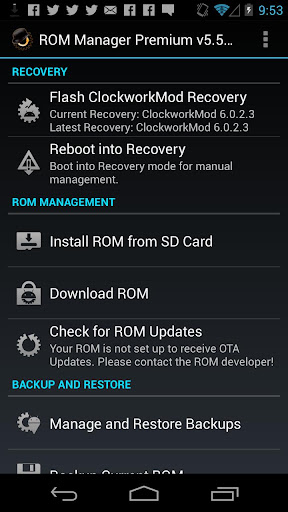
ROM Manager (Premium) v5.5.2.3 APK

ROM Manager (Premium) v5.5.2.3 APK


Must have app for any root user. Make backups, flash ROMs, and own your device!


ROM Manager Premium play.google.com.rommanager
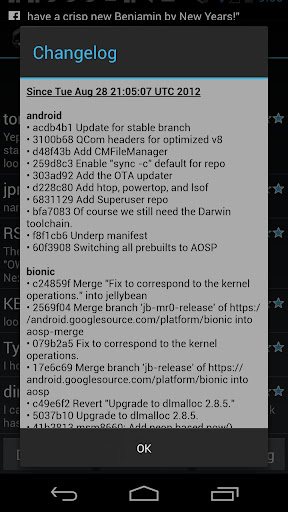
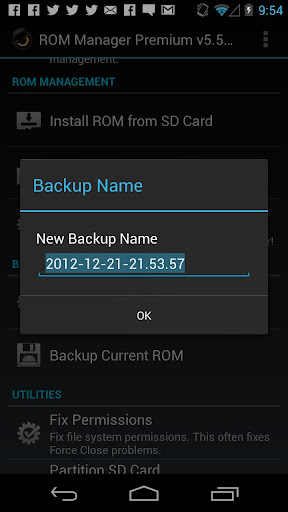
Must have app for any root user. Make backups, flash ROMs, and own your device.
ROM Manager is THE MUST HAVE APP for any Android root user. (Over 3 million downloads and counting!)

Features:
  • Flash your recovery to the latest and greatest ClockworkMod recovery.
  • Manage your ROMs via a handy UI.
  • Organize and perform backups and restores from within Android!
  • Install ROMs from your SD card.
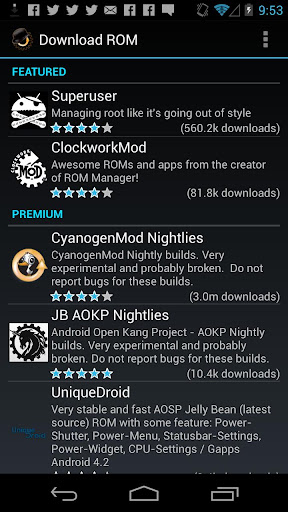
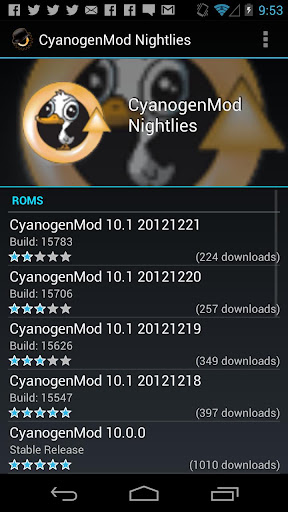
  • Install your favorite ROMs over the air!
Premium Version:
  • Premium ROMs
  • Receive notifications for when your ROM is updated!
  • Automatic backups
  • Install from QR Code
  • Web Connect
  • Support
Do you prefer using only recovery manually? Check out the Touch Recovery in app purchase, for the most advanced recovery available!
What's in this version : (Updated : Feb 16, 2013)
  • Delta download bug fixes.
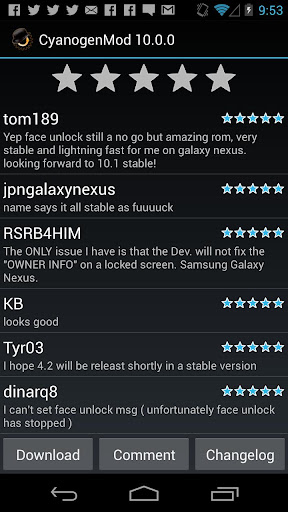
  • Revamp comments service. All users can comment and rate.
  • Can now view all backups, internal and external, in the restore/manage list
Required Android O/S : 2.2+
Screenshots :


Download : 2.5Mb APK 

Advanced Task Manager Pro v3.0.5 APK

Advanced Task Manager Pro v3.0.5 APK


Best task killer for android system, speed up phone, save battery!


Advanced Task Manager Pro play.google.com.taskmanagerpro
Best task killer for android system, speed up phone, save battery!
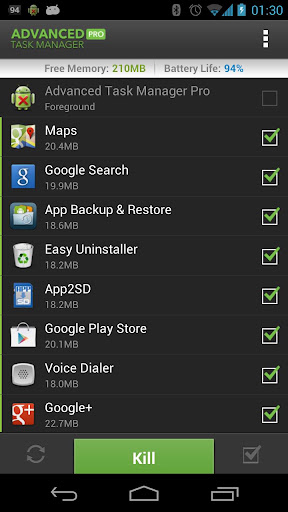
Kill tasks,free memory,speed up phone,save battery.
ATM 2.0 with totally new UI is comming, and it's really cool!!!

Features:
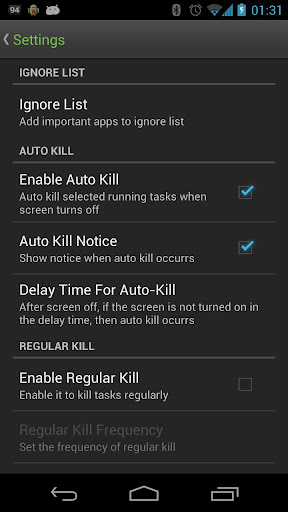
  • Task killer, kill selected tasks
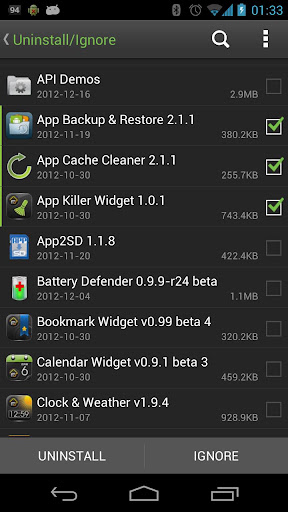
  • Ignore apps when kill tasks
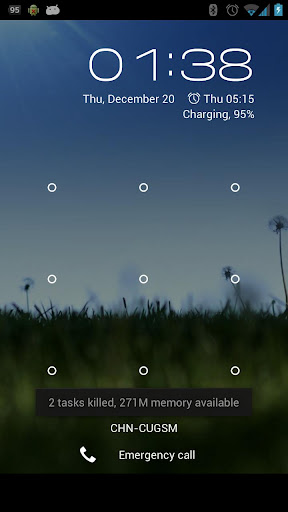
  • Auto kill tasks on every screen off
  • Regular kill
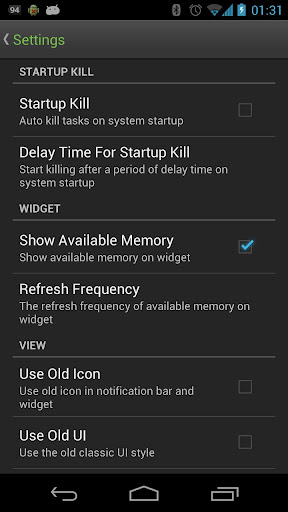
  • Startup Kill
  • One click task kill widget
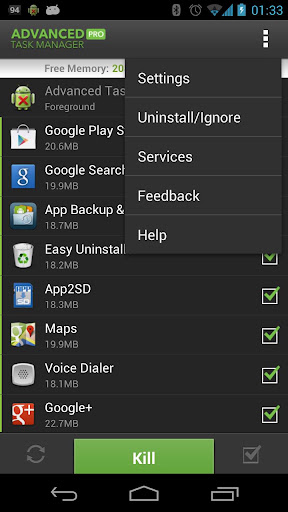
  • Quick uninstaller
  • Show battery life
  • Support android 1.5/1.6/2.2/2.3/3.x/4.0
  • Ad Free
Description
Advanced Task Manager (ATMGR or ATM) is basicly a task killer. It can list all the running tasks, and you can select some of them to kill. It is also a task manager tool to manage all the apps or running apps, you can long click on the task that you want to kill, and you will get a poped up menu with more options.

You may found that some apps are restarted again and again after killing, for some tasks are restarted by system events automatically. And we suggest that you enable Auto Kill in settings. Then it will kill tasks on every screen off. It will help to save battery and extend the battery life by terminating some apps that drawns too much battery.

There are many task killer apps in the google market. What is the difference between our app with other task killers? Basically our app killer list more apps then others, because the way we use to get system running task list is same as the android system panel. Another important difference is that we have an uninstaller feature in our task killer, and you can uninstall useless apps. Most of the task killers have one click widget, but our widget can show available memory. It's not default enabled, users should enable it in settings. Overall our app killer is the best one of so many task or app kill tools in the market.
What's in this version : (Updated : Feb 17, 2013)
  • Fix a FC bug
Required Android O/S : 1.6+
Screenshots :


Download : 1.4Mb PK

Solar System Explorer v2.5.3 APK

Solar System Explorer v2.5.3 APK


Take an interactive 3D trip through the solar system with Solar System Explorer !

Solar System Explorer play.google.comsolarexplorer
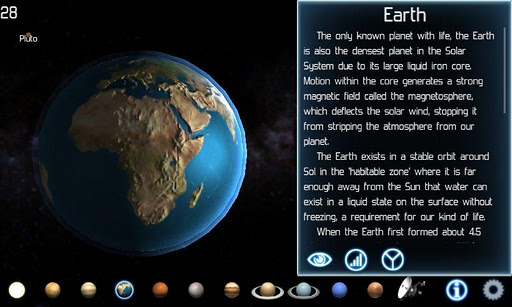
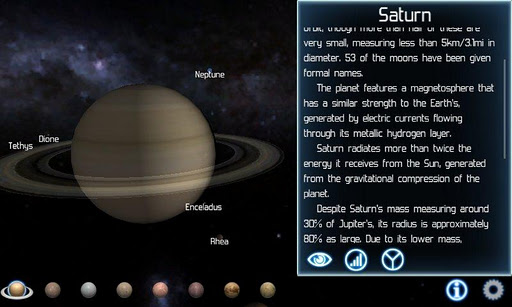
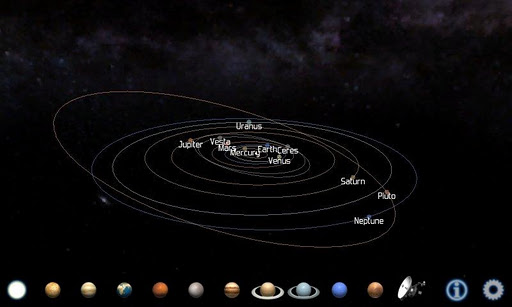
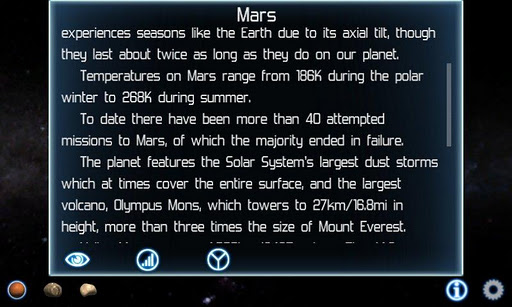
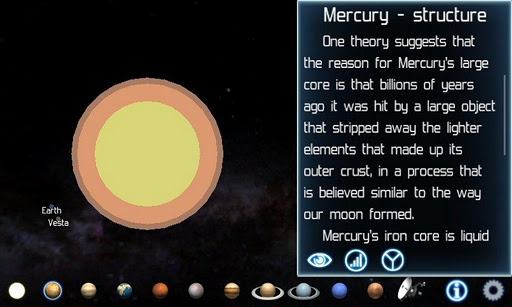
Solar System Explorer will take you on an interactive 3D trip through our solar system. Featuring more than 35 planets, moons, asteroids and the spacecraft that have visited them, you'll have a chance to see a different side of our little corner of the galaxy!

This full edition delivers all the planets and major moons of our Solar System in glorious HD with extra effects and a special tablet mode, so it will look great on all devices, large or small.

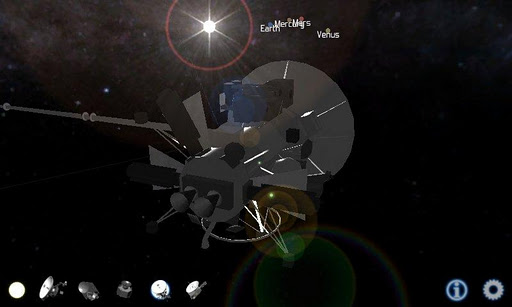
Solar System Explorer also features detailed models of past present and future robotic explorers, such as Cassini which is currently half way through a 20 year mission to study the Saturnian system.

Surface images of the planets have been re-constructed from photos taken by telescopes or NASA spacecraft. Because few probes have been to the outer solar system, a number of moons have only been photographed from one side, so the missing details have been estimated based on what is visible.

Orbital positions and speeds have been adjusted to make it easier to navigate the Solar System and see the planetary motion at human speeds.

Interesting facts about each of the places you visit in the solar system, and the spacecraft you see are available at the touch of a button.

Statistics are calculated relative to the Earth where ever possible because for most people, big numbers mean little.

There may only officially be eight planets now, but because Pluto is larger than 200KM in radius, it is included for your viewing pleasure.
  • Robotic spacecraft: NASA Voyager, Dawn, Juno, Cassini
  • Planets, moons and asteroids: 
  • Sol/The Sun
  • Venus
  • Earth: Luna/the Moon
  • Mars: Deimos, Phobos
  • Asteroids: Ceres, Vesta
  • Jupiter: Callisto, Europa, Ganymede, Io
  • Saturn: Mimas, Tethys, Enceladus, Dione, Rhea, Titan, Iapetus
  • Uranus: Miranda, Umbriel, Ariel, Oberon, Titania
  • Neptue: Triton, Proteus
  • Pluto: Charon
What's in this version : (Updated : Feb 17, 2013)
  • Black screen fix
  • Planet size chart
  • UI improvements
  • Bug fixes
Required Android O/S : 2.2+
Screenshots :


Download : 16.3Mb APK

Related Articles

Related Posts Plugin for WordPress, Blogger...